Platform · Workflow
From question to done.
KeyAI Workflow turns a customer request into finished work: look up the account, book the appointment, schedule the callback, or route to an agent with everything they need.

Highlights
-
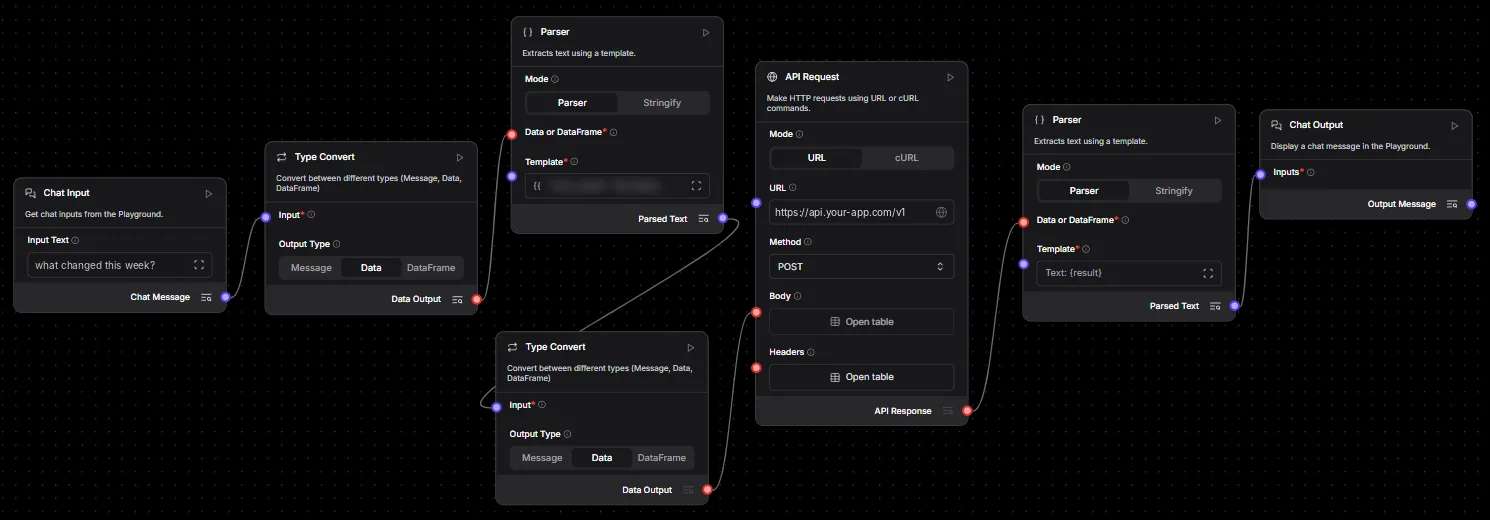
Drag-and-drop designer
Build workflows visually, with nodes for AI models, APIs, data and messaging.
-
Test before you publish
Run a workflow against sample input and check every step before it reaches production.
-
Connects your systems
Multi-system nodes and hundreds of connectors link your assistants to the tools you already run.
Screenshots
Everything included
What you get in Workflow Automation
Designer
- Low-code editor Define each step visually, without a development cycle for every change.
- Test runs Execute a draft workflow and inspect each step’s input and output.
- Templates and folders Start from a template and keep workflows organised by project.
- Execution history See every run, its result and where it stopped.
What it automates
- Account lookups Fetch account details for the bot or the agent.
- Appointments and callbacks Book, change and confirm appointments from a voice or chat request.
- FAQ responses Answer from the knowledge base with the right context.
- Escalation logic Hand over to an available agent with the full interaction history.
Connectivity
- 500+ connectors Messaging, email, calendars, CRMs, databases and AI services.
- API requests Call any REST API with your own headers, body and parsing.
- Bring your own AI Use the model your organisation has approved inside any workflow.
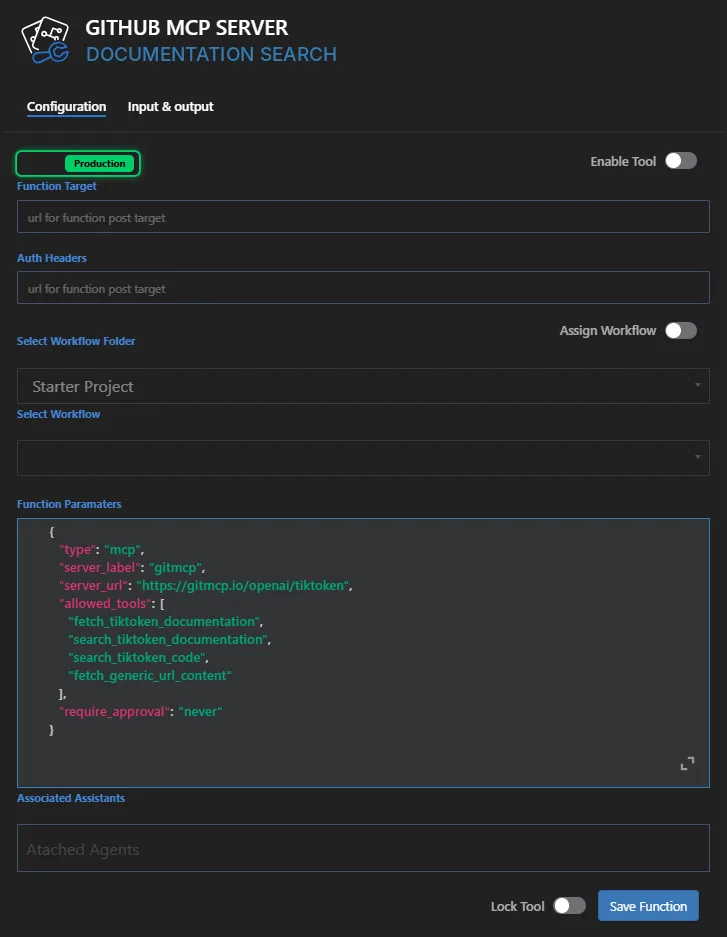
- Tools for assistants Expose a workflow or an MCP server as a tool your voice and chat assistants can call.
Works hand in hand with
The platform- Integrations Native to Genesys Cloud, ready for WhatsApp and Messenger, with hundreds of connectors and your own AI model. Explore
- Voice Bot An AI voice agent that answers calls in natural speech, resolves routine requests and hands over to people with full context. Explore
- Chat Bot Instant, 24/7 answers on your website, app, WhatsApp and Messenger, drawn from your own knowledge base. Explore
Put AI to work in your contact centre.
See KeyAI with your own channels, languages and use cases. Most projects go live in about three months.
Native to Genesys Cloud · Multilingual · Built in Malaysia